
Building RSPFx: Bringing Rust-Speed and Modern Tooling to SharePoint Framework
RSPFx — short for Rust-based SPFx — is my answer to the slowest part of SharePoint development: the toolchain. It replaces Heft, webpack, and gulp with modern bundlers (Vite, Rsbuild, Rspack), keeps the same manifests and the same .sppkg output, and gets the dev server down to under a second.
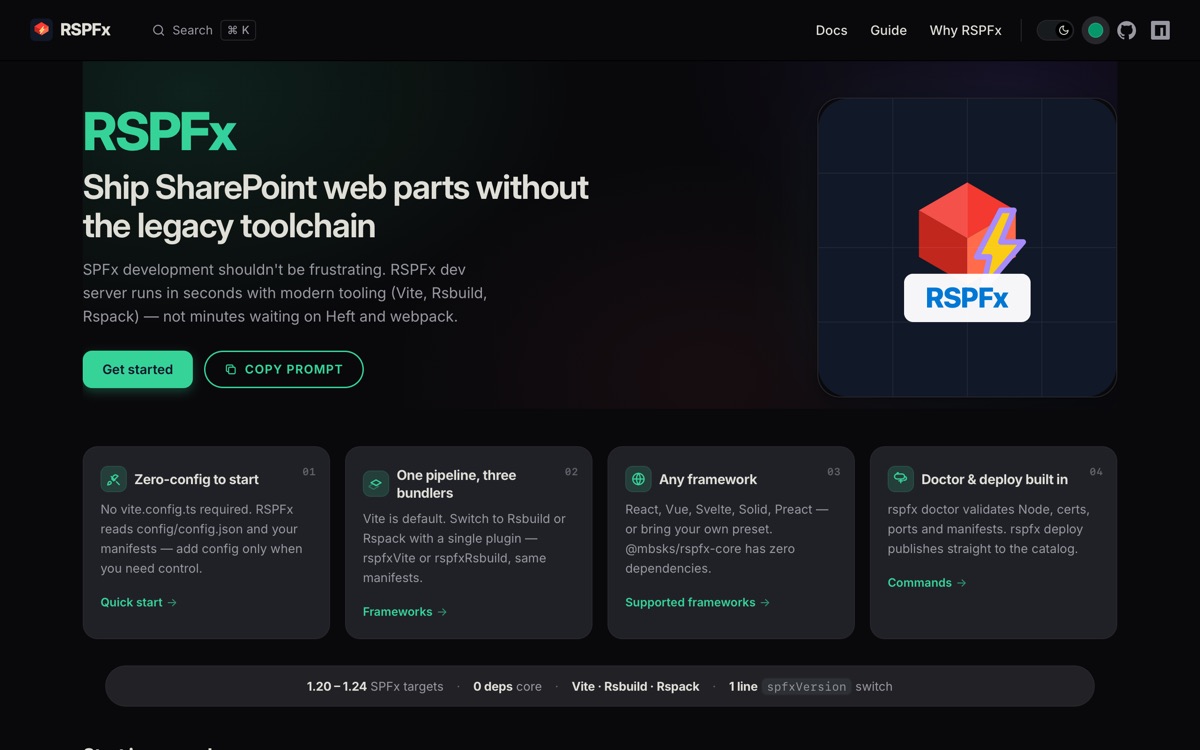
The RSPFx docs — zero-config start, one pipeline with three bundlers. All screenshots in this article were captured headlessly with Bun.WebView.
The problem: SPFx development shouldn't be this slow
SPFx is the page and web part model for client-side SharePoint development — the official overview and the development environment setup describe a world of modern web tooling. In practice, the build side never kept up.
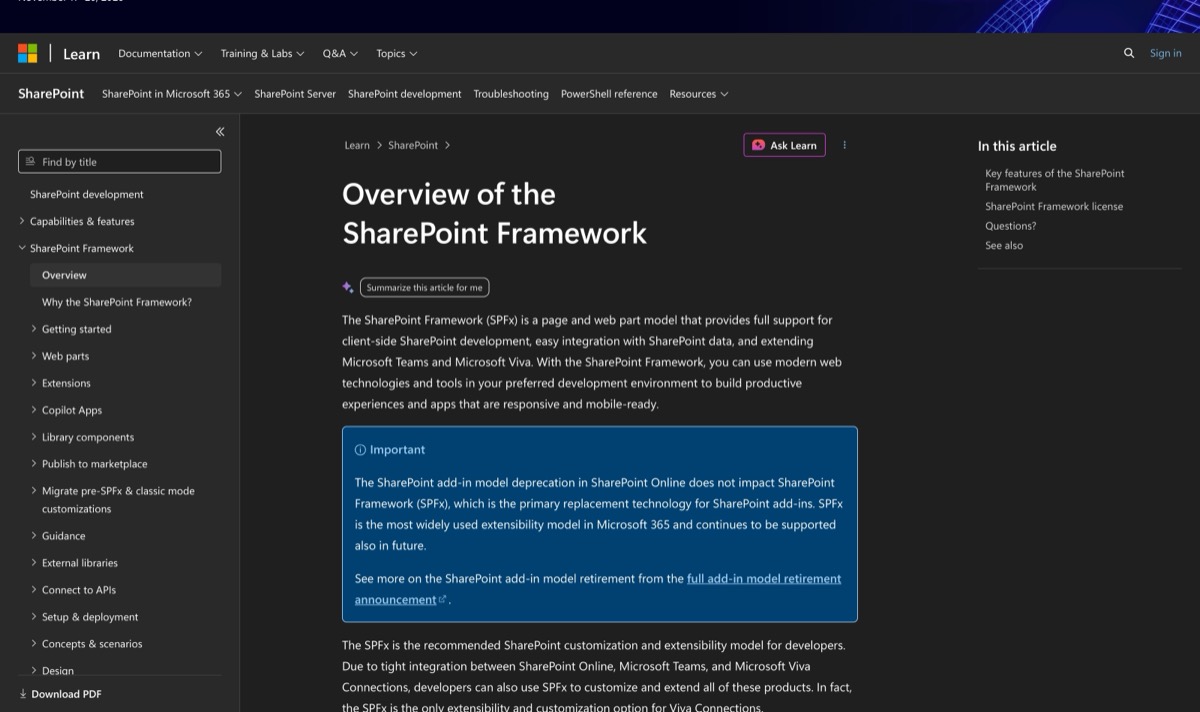
Microsoft's SPFx overview — the framework is modern, its toolchain is not.
Having worked with many modern tools before and after working in SPFx, it feels like Microsoft's respect for other developers' time is near non-existent. I cannot fathom why, when the Heft rewrite was being done, they could not embrace tools like Rspack — which is stable and highly compatible with Webpack — or try to move to Vite, especially as Microsoft has clearly shown the ability to cling to things like React (which is from Meta).
Looking into the tooling of SPFx, I decided that even if Microsoft addresses these issues, they would take so much time that there might be plenty of room for an alternative pipeline. With knowledge of how .sppkg packages work, I knew I could replace the bundler with a very stable system. Because Microsoft rarely breaks existing package compatibility for past versions, it makes a project like this truly possible.
Why "Rust-speed"?
RSPFx makes its tooling decisions inspired by the modern wave of JS tooling written in Rust:
| Tool | What it is |
|---|---|
| Vite | Instant dev server + Rollup-based builds |
| Turbopack | Rust bundler behind Next.js |
| Rspack / Rsbuild | Rust bundler with webpack-compatible API |
| Deno | Rust-based runtime and toolchain |
| Bun | Fast runtime (moving parts to Rust when this project started) |
My expectation with the project was to support newer versions of SPFx which provide and change the shape of the API object injected into the application (rarely, but this seems to be the largest change for app developers), as well as what SharePoint versions these packages support. If I create an SPFx framework with a decoupled version, most developers don't need to worry about changing SharePoint framework versions — that's mostly just changing the React version, which I can let Vite handle for any React version or any other UI framework (only limited by Fluent UI's support for React 19).
First attempt: just swap webpack for Rspack
My first thought towards the project was: let's just replace webpack with Rspack. Considering how compatible it is, I was thinking this might even just be a simple doc to share — an npm override forcing webpack consumers onto Rspack:
{
  "overrides": {
    "webpack": "npm:@rspack/core@latest"
  }
}
But this was constantly breaking when I tried it and felt very unstable. Patching the bundler underneath a toolchain that assumes webpack internals was a dead end.
The insight: a .sppkg is just a zip
With that testing done, I started to look into the build and dev server code, dissecting .sppkg packages into a zip with a manifest file that can be generated independently. Also, the requirement of Fluent UI or SharePoint-based packages (which cannot be removed in normal SharePoint) sparked the idea to create a community version of the SPFx toolchain that replaces the core to use newer tools.
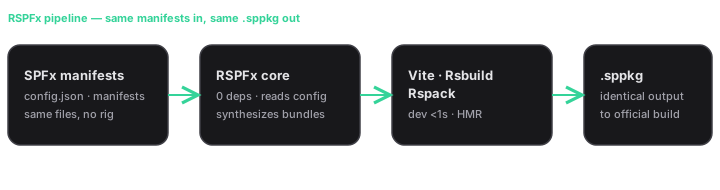
Same manifests in, same .sppkg out — only the middle changes. See the architecture docs for the full pipeline.
What RSPFx does
So I created a new repo, wrote down the requirements, and asked AI to architect and work on this project with my insights and guidance — building it as a toolchain supporting Vite, Rspack, and Rsbuild, as well as many frontend libraries, which I tested with a SolidJS chess demo.
rspfx dev      # http://localhost:4321 — no tenant needed
rspfx package  # → sharepoint/solution/my-app.sppkg
rspfx doctor   # validates Node, certs, ports, manifests
- Zero-config to start — reads
config/config.jsonand your manifests; add config only when you need control. (Getting started) - One pipeline, three bundlers — Vite by default, Rsbuild or Rspack with a single plugin. (Frameworks)
- Any framework — React, Vue, Svelte, Solid, Preact, or a custom preset;
@mbsks/rspfx-corehas zero dependencies. - One-line SPFx switch —
spfxVersion: '1.20'→'1.24', then update your package. (Compatibility, commands) - Doctor & deploy built in — cert/Node/port checks plus straight-to-catalog deploy.
The numbers
With my initial testing in a rough implementation of just a dev server with Rspack, I was able to get less than 1-second startup for fresh packages with SPFx 1.22, and hot reload under a second:
| Setup | Dev server startup |
|---|---|
| Classic gulp toolchain | ~20+ s |
| spfx-fast-serve (amazing project, by the way) | ~8 s |
| Heft-based toolchain | ~12 s (not rigorously tested) |
| RSPFx (Rspack dev server) | < 1 s |
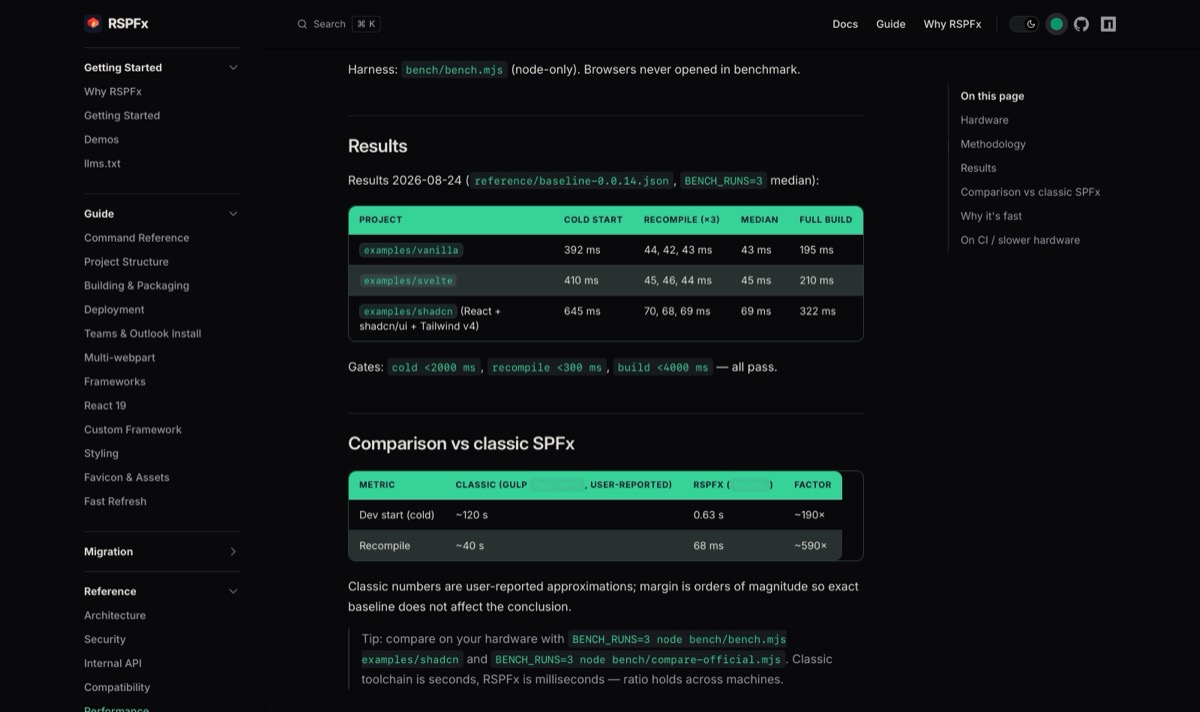
Benchmark methodology and full results live in the performance docs — measured on real examples, Rspack-based.
"But I don't want to break my project"
Then I started asking people to try it. One complaint stood out: "The tool is there, but it replaces and changes many things; if this is broken, I want to try it without breaking anything."
So I separated out a plugin that doesn't take project details except the path to the project root and the web part name — it generates an in-memory object for a quick try. Initially this was not designed for multi-webpart apps, but I quickly fixed that. Now RSPFx does both: replace the entire SPFx build pipeline, or just sit there for dev speedup like spfx-fast-serve and let the normal bundler handle everything else.
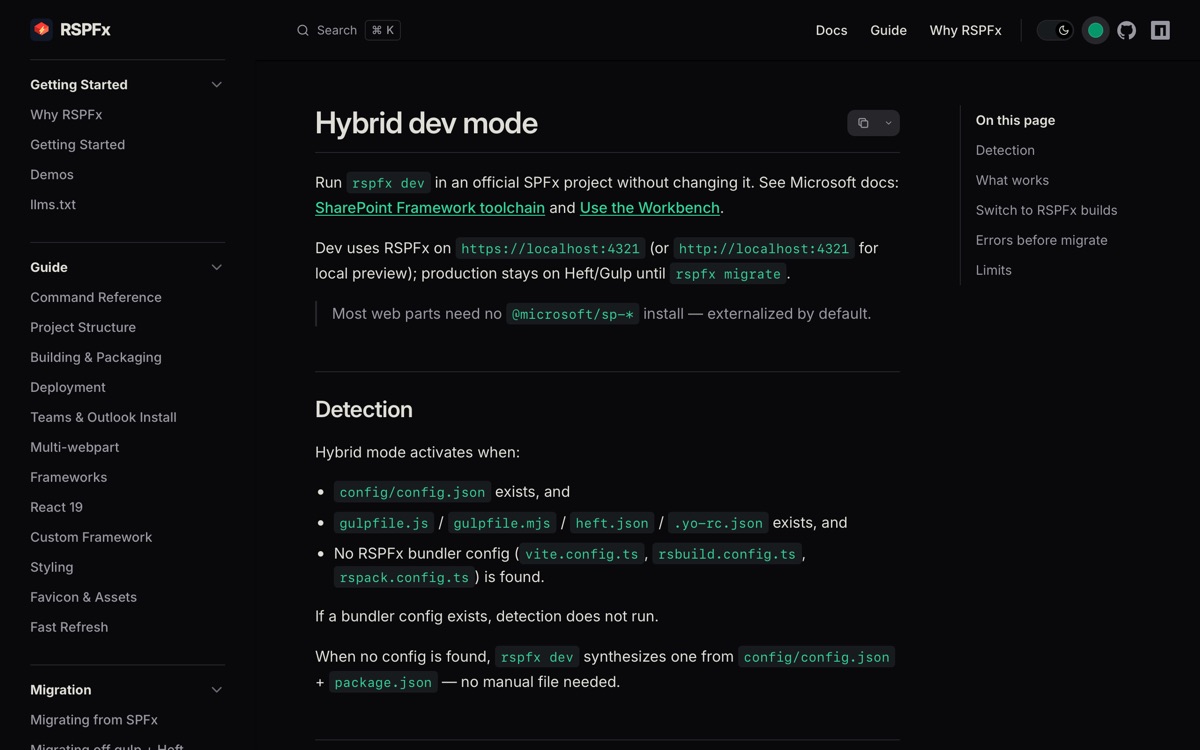
Hybrid dev mode: run rspfx dev in an official SPFx project without changing it — production stays on Heft/gulp until you run rspfx migrate.
Try it
- Docs: rspfx.mbsks.me — start with getting started and why RSPFx
- Repo: github.com/master8848/rspfx
- Background reading: Microsoft's SPFx overview and dev environment setup
If you build SharePoint web parts and you're tired of watching a bundler, RSPFx is worth an afternoon.